 DayPilot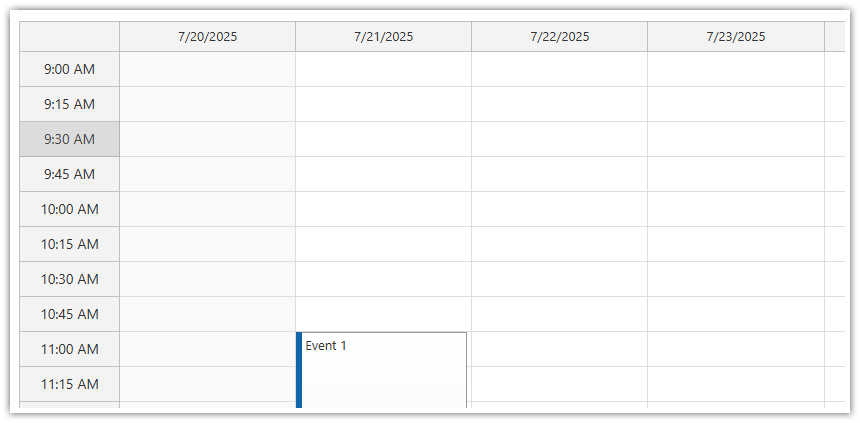
In the Pro version, you can use the following vertical time‑header units:
Auto (default): one‑hour units when the scale value is under one hour, or a value that matches the current scale otherwise.
A custom number of minutes (any whole number ≥ 1).
In the Lite version, you can set the time‑header unit to a specific number of minutes (1 – 60).
The time‑header units do not have to match the cell duration.
You can adjust the unit length with the timeHeaderCellDuration property, and you can customize the header cell content with the onBeforeTimeHeaderRender event handler.
JavaScript
<div id="calendar"></div>

<script type="text/javascript">
  const calendar = new DayPilot.Calendar("calendar", {
    timeHeaderCellDuration: 30,
    // ...
  });
  calendar.init();
</script>
ASP.NET WebForms
<DayPilot:DayPilotCalendar runat="server" ID="DayPilotCalendar1"
  TimeHeaderCellDuration="30"
  ...
/>
Demo
ASP.NET MVC
MVC View
@Html.DayPilotCalendar("dpc", new DayPilotCalendarConfig {

  // ...
  TimeHeaderCellDuration = 30,
  // ...

})
Availability
Availability of this feature in DayPilot editions:
| Lite | Pro | |
|---|---|---|
| DayPilot for JavaScript | ||
| DayPilot for ASP.NET WebForms | ||
| DayPilot for ASP.NET MVC | ||
| DayPilot for Java |