 DayPilot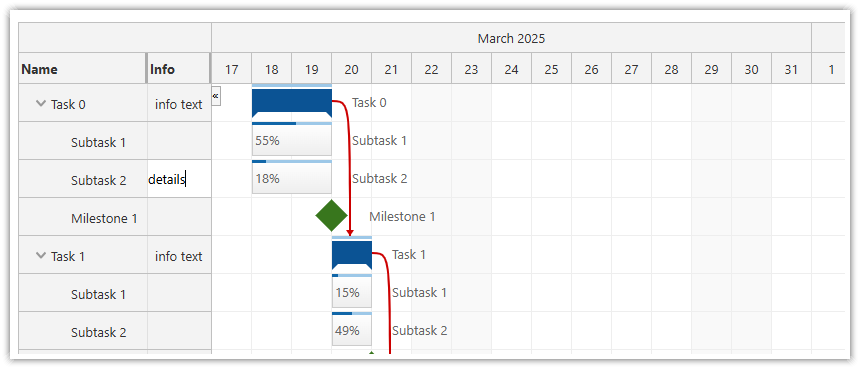
The JavaScript Gantt Chart component supports editing the row header cells inplace using inline editing mode.
This feature can be enabled using the rowClickHandling property:
rowClickHandling: "Edit"When inline editing is enabled, the users can click the row header cells and update the text. After the new text is confirmed using the <enter> key, the Gantt Chart fires the onRowEdit event handler with the actions details and updates the task properties.
Live Demo
Example
{
    rowClickHandling: "Edit",
    onRowEdit: args => {
        console.log("Row edited", args.task, args.x, args.newText);
    },
    // ...
}
Availability
Availability of this feature in DayPilot editions:
| Lite | Pro | |
|---|---|---|
| DayPilot for JavaScript | ||
| DayPilot for ASP.NET WebForms | ||
| DayPilot for ASP.NET MVC | ||
| DayPilot for Java |