 DayPilot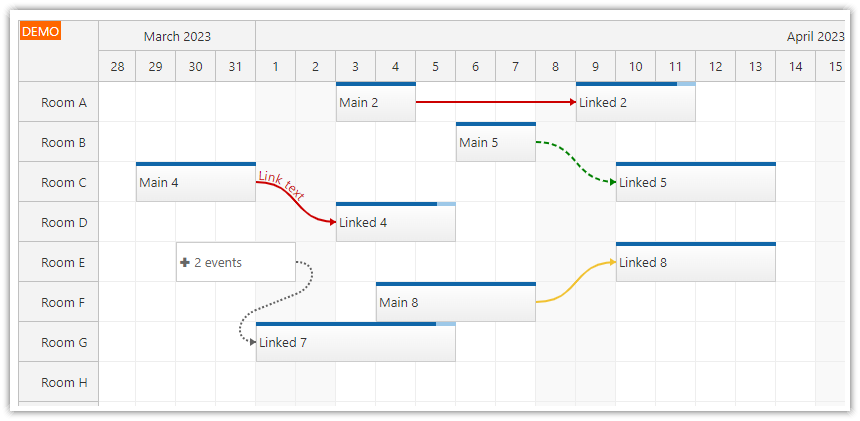
Links, which show dependencies between two JavaScript Scheduler events, can display text that follows the link path.
Note that only curved links are supported (see link shapes for more details).
The link type must be
"FinishToStart".The text will use the same color as the link.
You can set the text alignment (left, right, center) using the
textAlignmentproperty. The default alignment is"left".
This feature is available since version 2023.4.5820.
Example
You can specify the link text using the text property:
const links = [
  {
    id: 101,
    from: "main-4",
    to: "linked-4",
    type: "FinishToStart",
    text: "Link text"
  }
];
Availability
Availability of this feature in DayPilot editions:
| Lite | Pro | |
|---|---|---|
| DayPilot for JavaScript | ||
| DayPilot for ASP.NET WebForms | ||
| DayPilot for ASP.NET MVC | ||
| DayPilot for Java |