 DayPilot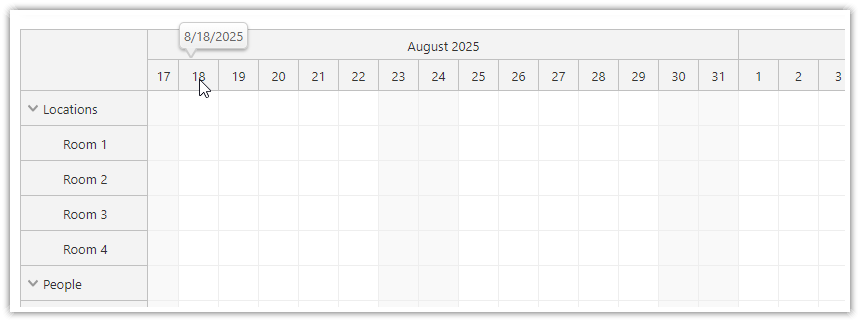
The JavaScript Scheduler component can display a callout with additional information when hovering the time header.
This feature is available since version 2025.3.6583.
You can define the bubble using the timeHeaderBubble property.
{
    timeHeaderBubble: new DayPilot.Bubble(),
    // ...
}
The bubble HTML can be defined statically using the onBeforeTimeHeaderRender event handler:
onBeforeTimeHeaderRender: args => {
    args.header.bubbleHtml = args.header.start.toString("M/d/yyyy");
},
You can also define it dynamically right before the bubble shows up, using the onLoad event handler of the DayPilot.Bubble object:
{
    timeHeaderBubble: new DayPilot.Bubble({
        onLoad: (args) => {
            const p = args.source;
            const date = p.start.toString("M/d/yyyy");
            args.html = `<div>${date}</div>`;
        }
    }),
    // ...
}
Demo
Availability
Availability of this feature in DayPilot editions:
| Lite | Pro | |
|---|---|---|
| DayPilot for JavaScript | ||
| DayPilot for ASP.NET WebForms | ||
| DayPilot for ASP.NET MVC | ||
| DayPilot for Java |