 DayPilot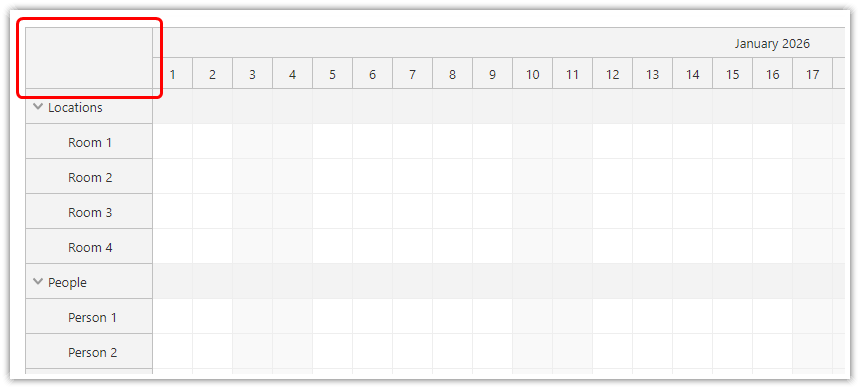
You can customize the upper-left corner of the JavaScript Scheduler component using the cornerText/cornerHtml properties or using the onBeforeCornerRender event.
The cornerText value will be automatically encoded.
The cornerHtml value lets you set raw HTML.
The onBeforeCornerRender event lets you override the content dynamically during every update.
To customize the corner content during image export, use the onBeforeCornerExport event.
Note that when using named row header columns, the space available in the upper-left corner will be smaller.
JavaScript Scheduler
Initial value:
const scheduler = new DayPilot.Scheduler("scheduler", {
  cornerHtml: DayPilot.Date.today().getYear(),
  // ...
});
scheduler.init();
Force a new value (override the current cornerHtml):
scheduler.update({
  cornerHtml: DayPilot.Date.today().getYear(),
});
Dynamic value, evaluated on every update:
const scheduler = new DayPilot.Scheduler("scheduler", {
  onBeforeCornerRender: args => {
     args.html = DayPilot.Date.today().getYear(),
  },
  // ...
});
scheduler.init();
ASP.NET WebForms
Initial page load/PostBack
DayPilotScheduler1.CornerHtml = String.Format("<div style='padding:5px; font-weight: bold; font-size:22px; text-align:center'>{0}</div>", DayPilotScheduler1.StartDate.Year);CallBack
DayPilotScheduler1.CornerHtml = String.Format("<div style='padding:5px; font-weight: bold; font-size:22px; text-align:center'>{0}</div>", DayPilotScheduler1.StartDate.Year);
DayPilotScheduler1.Update();
ASP.NET MVC
CallBack
CornerHtml = String.Format("<div style='padding:5px; font-weight: bold; font-size:22px; text-align:center'>{0}</div>", StartDate.Year);
Update();
Availability
Availability of this feature in DayPilot editions:
| Lite | Pro | |
|---|---|---|
| DayPilot for JavaScript | ||
| DayPilot for ASP.NET WebForms | ||
| DayPilot for ASP.NET MVC | ||
| DayPilot for Java |