 DayPilot
The drag handles can be specified using the moveBy property:
"Full"(default) - start dragging anywhere inside the event (no cursor indication), resizing drag handle on the left and on the right"Top"- event moving drag handle on the top, resizing drag handle on the left and right"Left"- event moving drag handle on the left, resizing drag handle on the right"None"- no drag handles
When the value is set to "None" you can define a custom handle using event active areas.
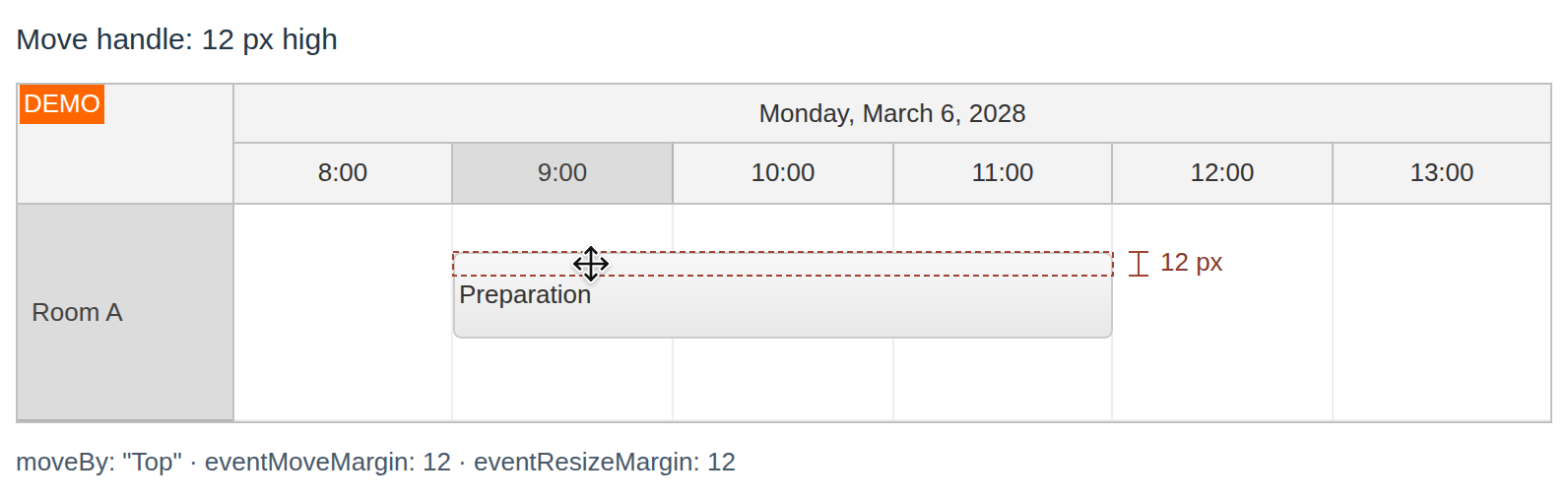
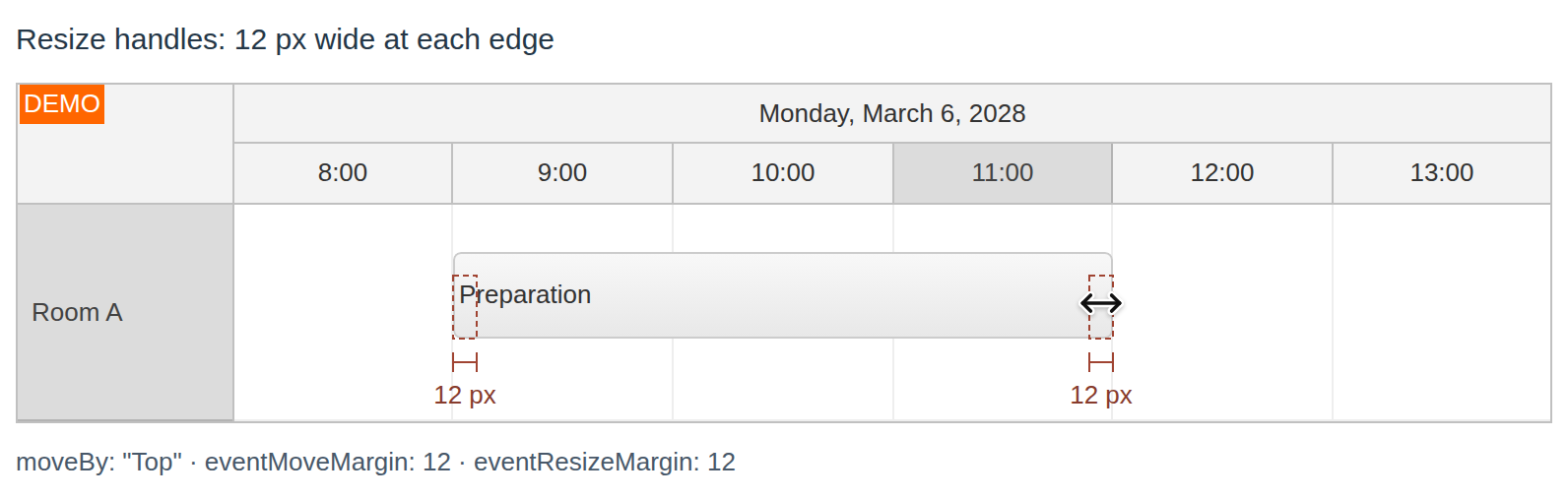
Drag Handle Size
EventMoveMargin property:
EventResizeMargin property:
API: moveBy, onBeforeEventRender.
The examples set moveBy to None and add a blue active area with action: "Move" at the event's left edge. This custom handle leaves the rest of the event box available for other actions.
The framework examples use DayPilot Pro. For installation, see the Angular, React or Vue Scheduler guide.
Angular
import {Component} from "@angular/core";
import {DayPilot, DayPilotModule} from "daypilot-pro-angular";

@Component({
  selector: "app-scheduler-example",
  standalone: true,
  imports: [DayPilotModule],
  template: `

    <daypilot-scheduler [config]="config"></daypilot-scheduler>
  `
})
export class SchedulerExampleComponent {
  config: DayPilot.SchedulerConfig = {
    startDate: "2026-11-01",
    days: 30,
    scale: "Day",
    timeHeaders: [{groupBy: "Month"}, {groupBy: "Day", format: "d"}],
    resources: [{id: "A", name: "Room A"}, {id: "B", name: "Room B"}],
    events: [{id: 1, text: "Planning", resource: "A", start: "2026-11-03", end: "2026-11-06"}, {id: 2, text: "Delivery", resource: "B", start: "2026-11-08", end: "2026-11-11"}],
    moveBy: "None",
    onBeforeEventRender: args => { args.data.areas = [{left: 0, top: 0, bottom: 0, width: 12, backColor: "#2563eb", action: "Move", style: "cursor: move;"}]; }
  };

}
React
import React from "react";
import {DayPilot, DayPilotScheduler} from "daypilot-pro-react";

export default function SchedulerExample() {

  return <div>

    <DayPilotScheduler
      startDate={"2026-11-01"}
      days={30}
      scale={"Day"}
      timeHeaders={[{groupBy: "Month"}, {groupBy: "Day", format: "d"}]}
      resources={[{id: "A", name: "Room A"}, {id: "B", name: "Room B"}]}
      events={[{id: 1, text: "Planning", resource: "A", start: "2026-11-03", end: "2026-11-06"}, {id: 2, text: "Delivery", resource: "B", start: "2026-11-08", end: "2026-11-11"}]}
      moveBy={"None"}
      onBeforeEventRender={args => { args.data.areas = [{left: 0, top: 0, bottom: 0, width: 12, backColor: "#2563eb", action: "Move", style: "cursor: move;"}]; }}
    />
  </div>;
}
Vue
<script setup>
import {DayPilot, DayPilotScheduler} from "daypilot-pro-vue";

const startDate = "2026-11-01";
const days = 30;
const scale = "Day";
const timeHeaders = [{groupBy: "Month"}, {groupBy: "Day", format: "d"}];
const resources = [{id: "A", name: "Room A"}, {id: "B", name: "Room B"}];
const events = [{id: 1, text: "Planning", resource: "A", start: "2026-11-03", end: "2026-11-06"}, {id: 2, text: "Delivery", resource: "B", start: "2026-11-08", end: "2026-11-11"}];
const moveBy = "None";
const onBeforeEventRender = args => { args.data.areas = [{left: 0, top: 0, bottom: 0, width: 12, backColor: "#2563eb", action: "Move", style: "cursor: move;"}]; };

</script>

<template>
  <div>

    <DayPilotScheduler
      :startDate="startDate"
      :days="days"
      :scale="scale"
      :timeHeaders="timeHeaders"
      :resources="resources"
      :events="events"
      :moveBy="moveBy"
      :onBeforeEventRender="onBeforeEventRender"
    />
  </div>
</template>
JavaScript
<div id="dp"></div>
<script type="text/javascript">
  var dp = new DayPilot.Scheduler("dp");
  dp.moveBy = "Full";
  // ...
  dp.init();
</script>
ASP.NET WebForms
Example:
<DayPilot:DayPilotScheduler runat="server" id="DayPilotScheduler1"
  ...
  MoveBy = "Full"
/>
ASP.NET MVC
Example:
@Html.DayPilotScheduler("dps", new DayPilotSchedulerConfig {
  BackendUrl = ResolveUrl("~/Scheduler/Backend"),
  ...
  MoveBy = DragArea.Full
})
Availability
Availability of this feature in DayPilot editions:
| Product | Lite | Pro |
|---|---|---|
| DayPilot for JavaScript | ||
| DayPilot for ASP.NET WebForms | ||
| DayPilot for ASP.NET MVC | ||
| DayPilot for Java |